
A share link is the least ceremonious way to get a dashboard in front of someone. No login, no seat, no invite email that lands in a spam folder on a Friday afternoon. Paste it in Slack and get on with your day.
That is also the problem with it. A URL is a bearer token: whoever holds it is in. It gets forwarded, it ends up in a ticket, and it works forever — including six months after the contractor's last day.
Two new settings fix that, and they sit next to each other when you create or edit a shared view. The list tells you which links carry what, without opening any of them.
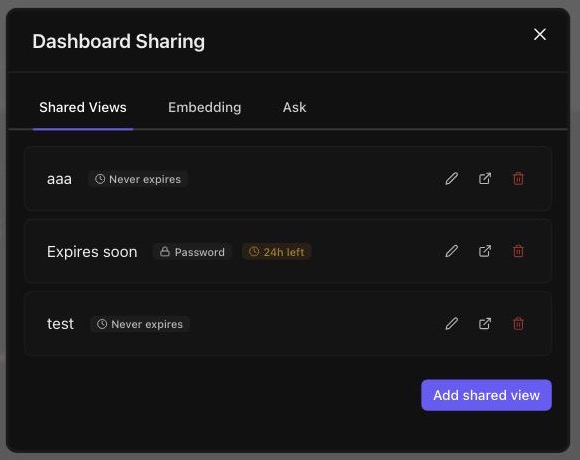
A password on the link
Set one, and the link asks for it before it shows anything.
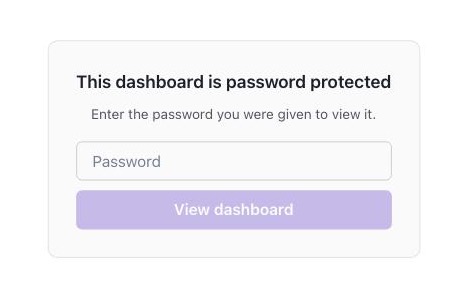
The important part is where that check happens. It is not a screen drawn over the dashboard while the data quietly loads underneath — the request is refused at the policy layer, before a single query runs. No charts are pulled, no rows are fetched, nothing about the dashboard comes back over the wire. Somebody with the URL and no password gets an unlock prompt and nothing else.
A few details worth knowing:
- The password is never stored. It is bcrypt hashed on the way in, and the hash never leaves the server — the settings screen is told has_password: trueand nothing more. We cannot show it back to you, which means we cannot leak it back to anyone else either.
- Unlocking mints a token, not a session. A share link has no identity behind it, so there is nothing to hang a session on. The correct password returns a signed token bound to that one link, kept for the tab. A token minted for link A is refused on link B, so one shared password does not quietly open every link on the account.
- It lasts 12 hours, or until the link does. Short on purpose: the token lives in a browser we know nothing about, and asking again costs one password field. It is also capped by the link's own expiry, so an unlock can never outlive the thing it unlocks.
- Guessing is throttled. Repeated wrong attempts on a link are rate limited, and a correct password clears the count — mistyping twice before getting it right does not leave you locked out.
An expiry date on the link
The other half. Pick from a scale — 1 hour, 6, 24, 48, 3 days, 5, 7, 30, 90 — or choose a specific date, in which case the link stays good through the end of that day rather than dying at midnight on the morning of it.
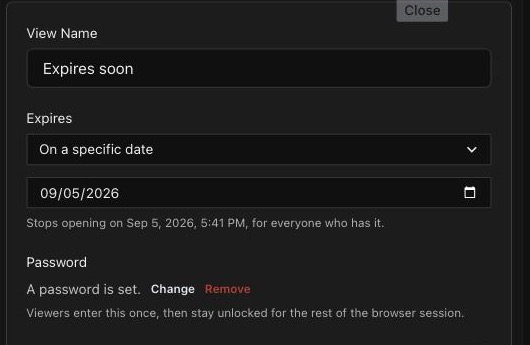
After that it stops resolving. It does not ask for a password, it does not render an empty dashboard, and it does not tell the person holding it that it used to work. Expiry is checked before the password for exactly that reason: there is no point presenting a prompt that could not have succeeded anyway.
Links created before this shipped never expire, which is what they have always done. Nothing changed underneath anyone.
The two settings compose the way you would hope. A link with both is a password-protected dashboard that stops existing on a date — which is roughly what "send the board pack to the investor" actually wants.
Number charts got five looks
Different problem, same complaint. The number chart has more styling knobs than anything else on the board: alignment, label position, four font settings, a trend that can be a line or bars in any of several corners, a comparison chip with its own format and colours. Almost nobody wants to turn all of them. They want the card they already saw somewhere.
So the arrangements that actually get used are named:
- Stat tile — label above, bars in the corner, change underneath.
- Trend line — the same card with a filled line across the bottom.
- Big number — centred, with the line washed out behind it.
- Just the number — no trend, no change. One number and its label.
- Against a goal — centred number over a progress bar.
Here they are on the same number, so you can see what each one actually does with it:
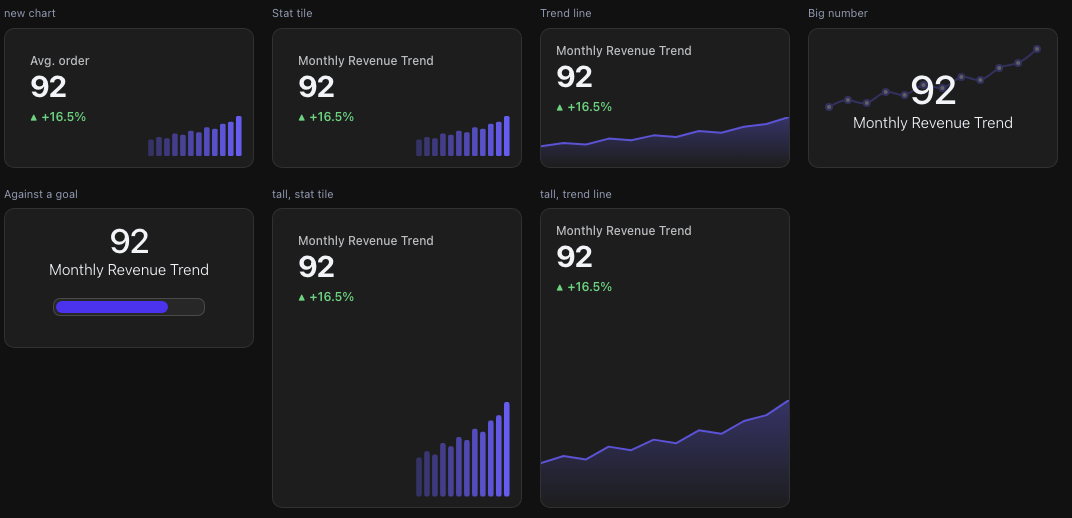
The last two are the same presets on a taller card, and they are worth a look. The trend is sized as a percentage of the card rather than a fixed number of pixels, so a stat tile given more room grows its bars into it instead of leaving a gap under the number. Resize the tile on the grid and the card stays composed.
In the editor each preset draws a small sketch of itself, because "Stat tile" means nothing until you have seen the label above a number with bars in the corner:
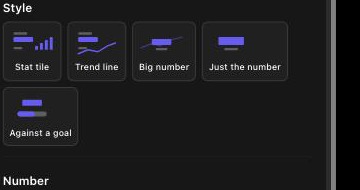
Two decisions in there are worth saying out loud, because they are the difference between a preset that helps and one that annoys you.
A preset sets everything it touches, including the parts it turns off. Every one of them writes the same set of keys. Switch from Stat tile to Just the number and the trend is not merely hidden — the whole arrangement is replaced. Nothing from the previous choice survives in a corner for you to find three weeks later and wonder why the card looks wrong.
A preset is a layout, not a repaint. Colours, number format, padding and cache are yours and stay yours. Try five looks on a chart you have already coloured and it will still be your colour when you land. There is a test holding this one in place, because it is exactly the kind of thing that quietly stops being true.
Everything stays individually adjustable after you pick one. A preset is a starting point that happens to be a good one, not a mode you get locked into.
Where to find them
Share password and expiry: Dashboard Sharing → Shared Views, when you create a link or edit one you already have.
Number presets: select a number chart, and they are the first thing in the settings pane.
Nothing here needs turning on, and nothing changes an existing link or chart until you touch it.