Markdown Syntax for Links
To create a link in Markdown, use the following syntax:
[Link Text](https://example.com)
This renders as:
Generating Markdown Links in SQL Queries
To dynamically generate Markdown-formatted links in your Tractorscope tables, you can use SQL string functions. For instance, in MySQL, you can concatenate the link text and URL using the CONCAT function:
SELECT
  CONCAT('[', link_text, '](', link_url, ')') AS markdown_link
FROM ...
SELECT
CONCAT('[', link_text, '](', link_url, ')') AS markdown_link
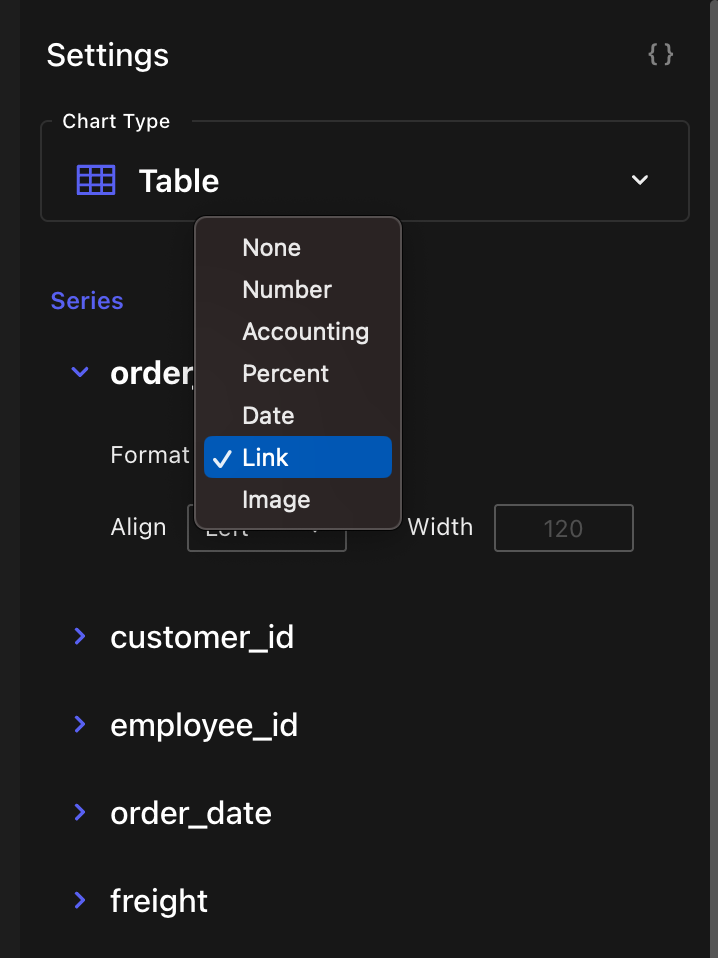
FROM ...This query combines the link_text and link_url fields from your table into a single Markdown-formatted link. From the Series on the right, find your column and and set the Format to ‘Link’.
Example
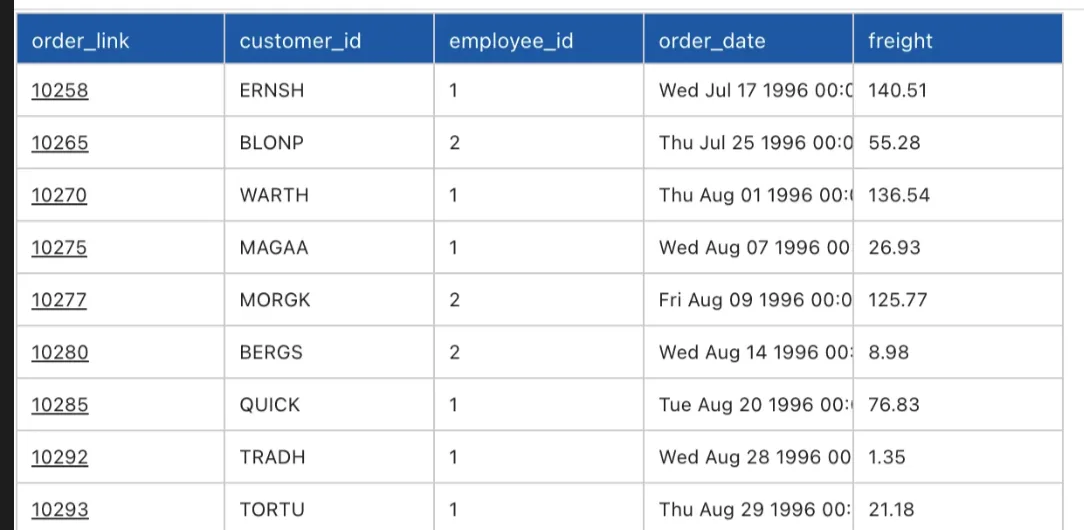
Assuming you have a table named orders with columns order_id the following query will generate a Markdown link for each order:
SELECT
  CONCAT('[', order_id ,'](https://my-northwind-site.com/order/', order_id ,')') as order_link
  ...
FROM ...
SELECT
CONCAT('[', order_id ,'](https://my-northwind-site.com/order/', order_id ,')') as order_link
...
FROM ...This will output: