Available Number Formats
1. Number
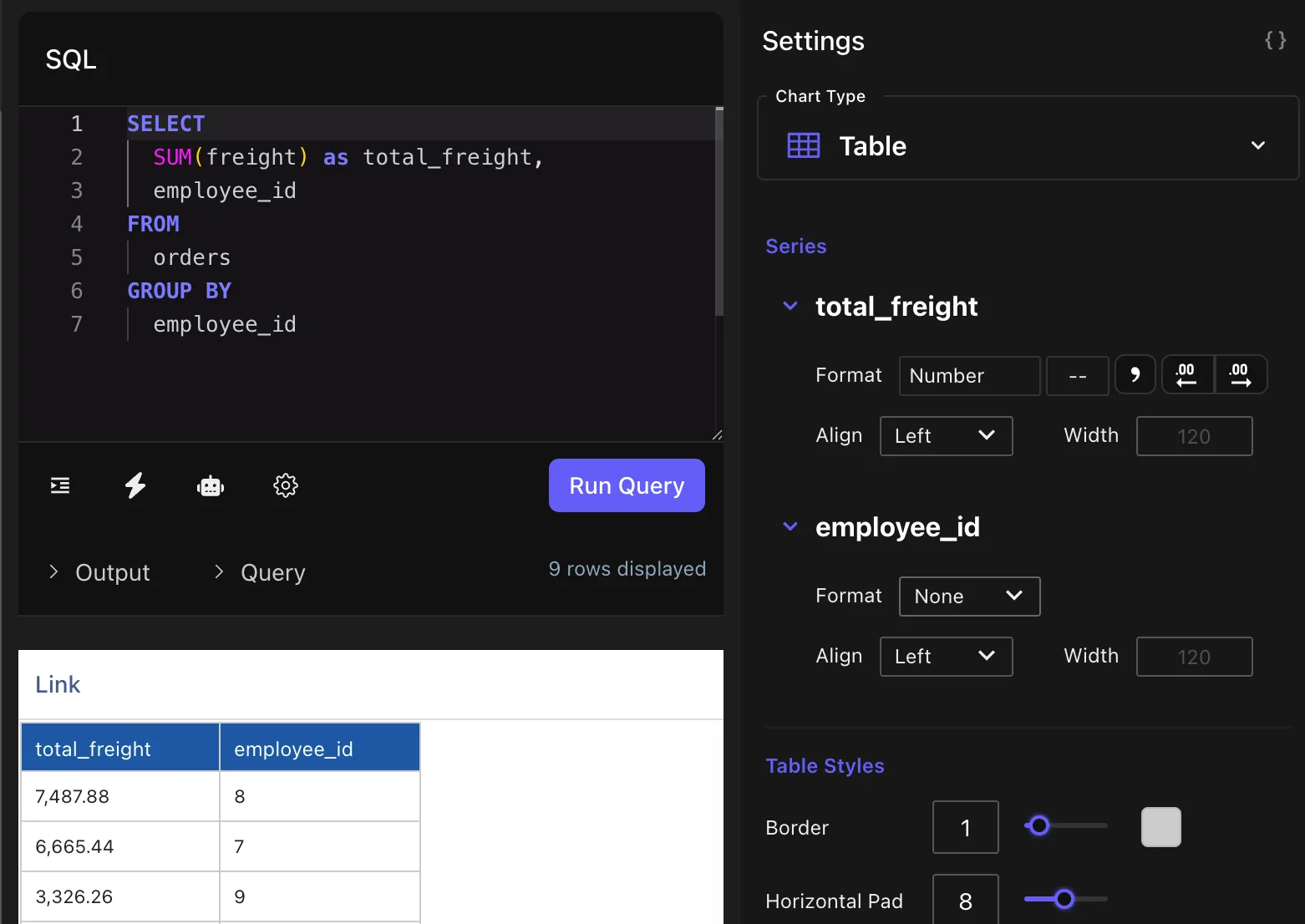
The Number format is ideal for displaying raw values, especially when precision and readability are important. This format allows you to:
- Add a currency label (e.g., $, €, ¥)
- Set the number of decimal places
- Toggle comma separators for thousands
Use Case: Displaying exact values, such as prices, measurements, or counts.
Example:
- Input: 1234567.89
- Display: $1,234,567.89(with 2 decimal places and currency label)
2. Accounting
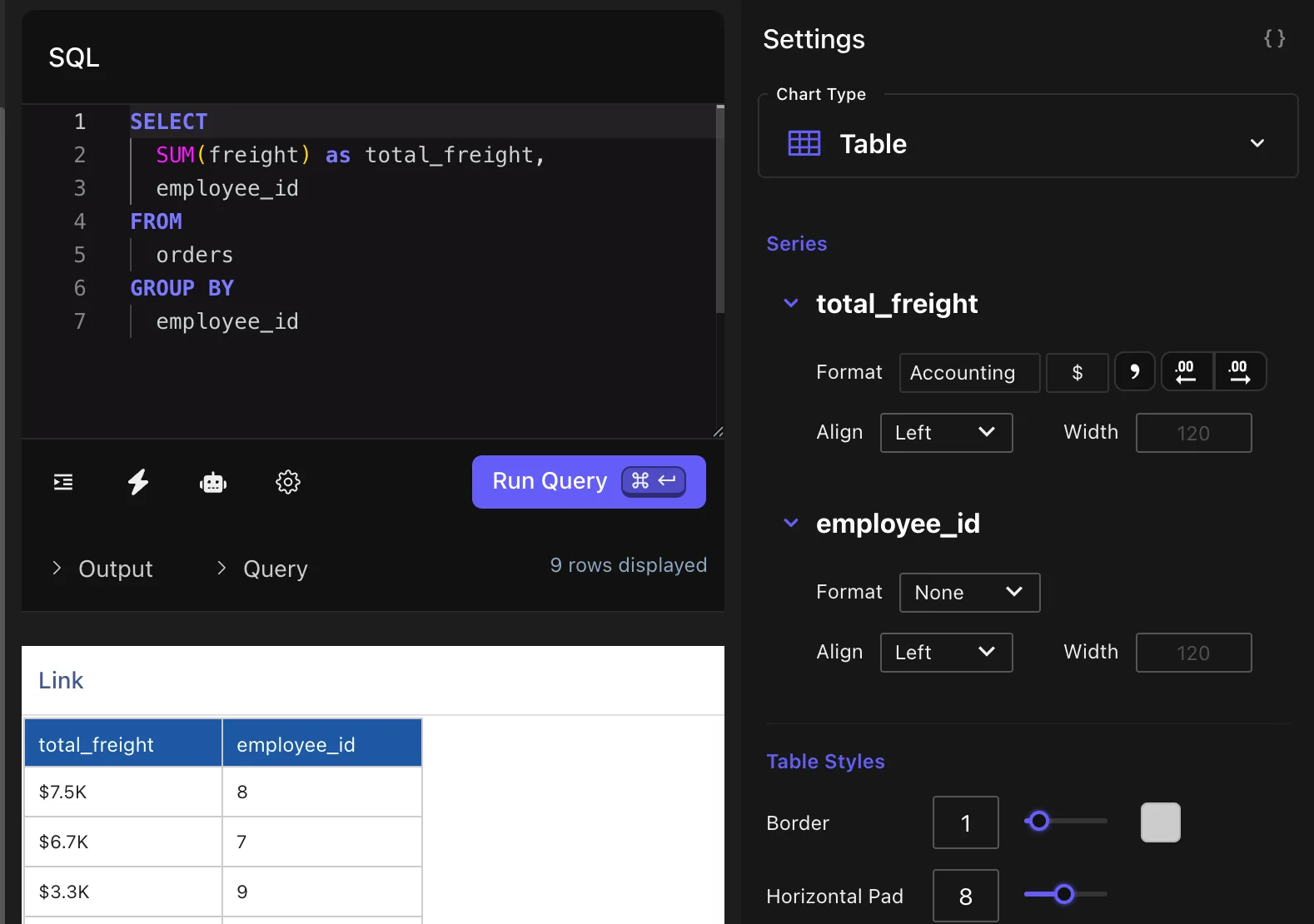
The Accounting format is optimized for summarizing large-scale values using automatic abbreviation and rounding. Tractorscope intelligently converts values to the nearest thousand, million, or billion, based on the input size.
This format includes:
- Currency label customization
- Decimal point control
- Automatic use of suffixes (K, M, B)
Use Case: Financial dashboards and executive-level reporting, where compact and meaningful figures are preferred.
Examples:
-
3,333.33→3.3K
-
5,555,555→5.5M
-
7,888,888,888→7.9B(Decimals in abbreviations are configurable)
3. Percent
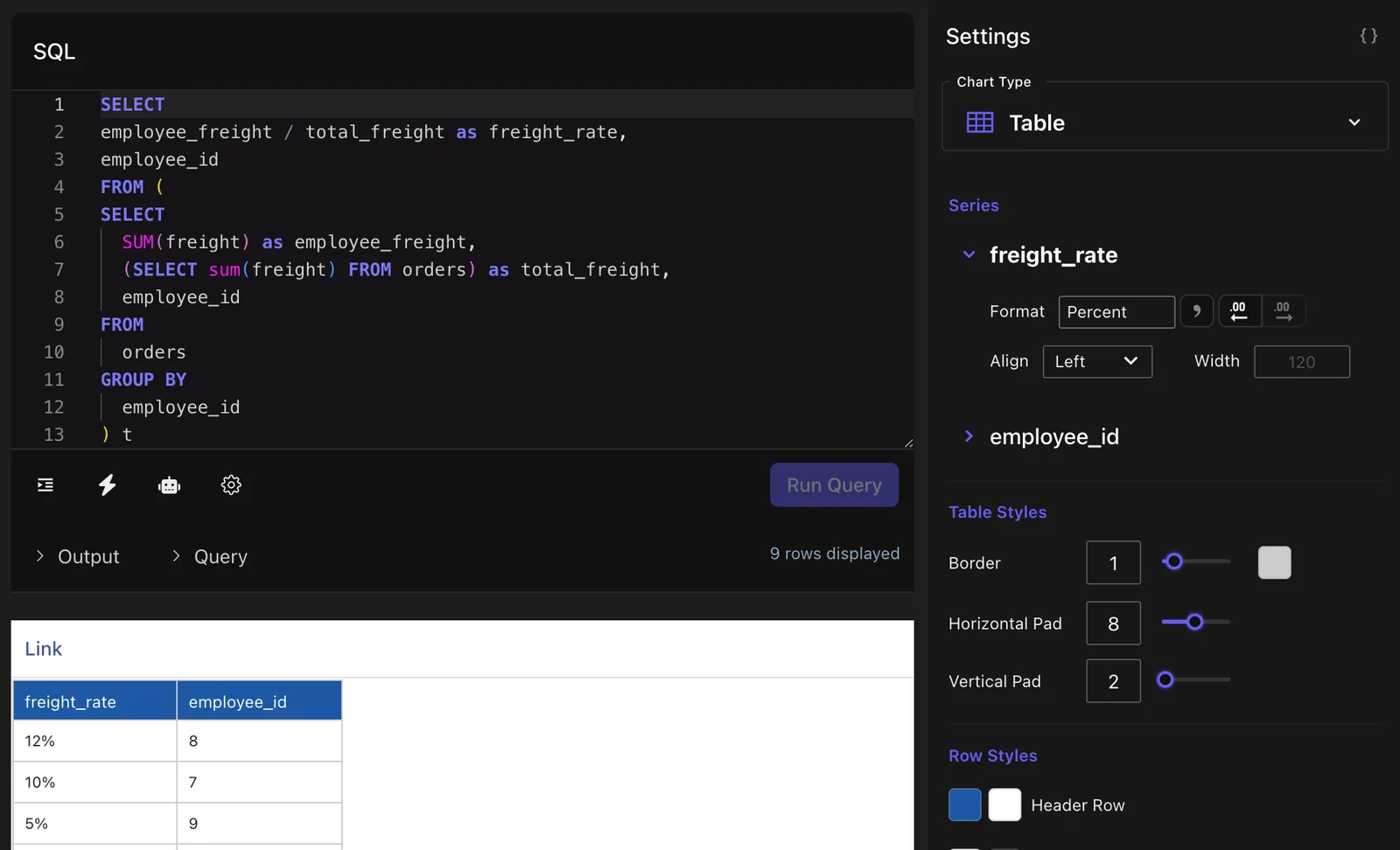
The Percent format converts numerical values into percentage form and allows for customization of decimal places and comma separators.
- Allows decimal precision
- Displays a %symbol automatically
- Applies multiplication by 100 to the base value
Use Case: Ideal for rates, ratios, and metrics like conversion percentages or growth rates.
Examples:
- Input: 0.08→8%
- Input: 8→800%
Summary
| Format | Features | Best For |
|---|---|---|
| Number | Currency label, decimals, comma separator | Prices, counts, and exact numeric data |
| Accounting | Abbreviations (K, M, B), currency, decimals | High-level financial summaries |
| Percent | Converts to %, decimal control | Rates, percentages, and proportions |
By using these number formatting options in Tractorscope, you can tailor your data presentation to better communicate insights and ensure clarity across different audiences.